XNU + core Unix utilities + low-level system frameworks
– XNU: kernel; – BSD userland – libSystem: libc, libpthread, libm, etc; – launchd: service manager; – DriverKit/IOKit: frameworks to write drivers, in kernel (IOKit) or user space (DriverKit)
combines NeXTSTEP, Mach 3.0 and FreeBSD components.
Open source
macOS/iOS/visionOS/watchOS/tvOS/…
Full Unix-like OS
Full OS for general end users
– Darwin: core; – Apple frameworks: Cocoa, Metal, etc; – GUI; – system apps: Safari, Finder etc.
For most high-quality displays connected to a Mac, macOS automatically detects and sets appropriate resolution, and your adjustment is normally unnecessary.
However, there are situations where you may notice the displayed content looks odd, for example, UI elements like menu text or buttons may appear too small or sometimes blurry. In such cases, you might need to go into the System Settings app and choose a different resolution under Displays.
Concepts
Before you change the display resolution, let’s sort out some concepts.
Physical Resolution and DPI / PPI
A display has physical resolution, i.e., how many native pixels in width and height directions. For example, a 5K display has 5120×2880 pixels.
A display also has physical size. For example, a 27-inch display has the diagonal length of about 27 inches.
The pixels are arranged in square arrays, so a display has density of pixels same in both directions, expressed in pixels per inch (ppi) or dots per inch (dpi). For example, a 5K 27-inch display is 218 dpi/ppi. The higher the dpi, the finer a pixel is, and the sharper the display can show details.
Points
From perspective of app developers, the display, or a screen, is the area where UI elements can be drawn. When designing a macOS app, UI elements are specified in terms of points. For example, a button may be specified as 50×50 pts. In apps like Keynote, you specify text size in points too, e.g. 36 pts. These points represent logical size of UI elements.
Logical Resolution
In the past, a standard Macintosh display has 72 dpi. This means that 36-pt text rendered to this display without any scaling would take 0.5-inch height in physical screen.
As you see, today’s displays have way higher dpi, e.g. 218 dpi.
If the same UI designed for older display is rendered to newer high DPI display the same way, the UI elements would be extremely small (about 1/3 physical size on display in the example above). The UI is basically impossible to read or interact.
To prevent this issue, modern macOS does not map UI points directly to physical pixels in display. The apps still express UI using points. macOS provides a logical display of certain size in terms of points. Below the hood, macOS maps the logical display to the physical display.
Scaling
Mapping the logical points to onscreen physical pixels is called scaling.
macOS always knows the exact physical resolution of the display theoretically. macOS renders UI elements and vector graphics such that the graphic primitives like lines are using full physical resolution, therefore as sharp as possible.
Scaling is automatic, and app developers normally don’t need to intervene. It’s however possible to learn the scaling factor. Note that, if your app uses scaling factor, the scaling factor can be dynamic, for example, when a window is moved from one display to another display, their dpi might be different, so is the scaling factor.
For bitmaps such as icons, unlike vector graphics, automatic scaling may not work very well, and Apple guideline suggests developers provide multiple bitmaps of different pixels sizes / dpis, so macOS can choose the most appropriate one to render for different physical displays.
When scaling is applied, the logical points per inch (lppi) differs from physical pixels per inch (pppi). The ratio of them is the scaling factor.
Choose Display Resolution
With the concepts above in mind, let’s talk about choosing the display resolution.
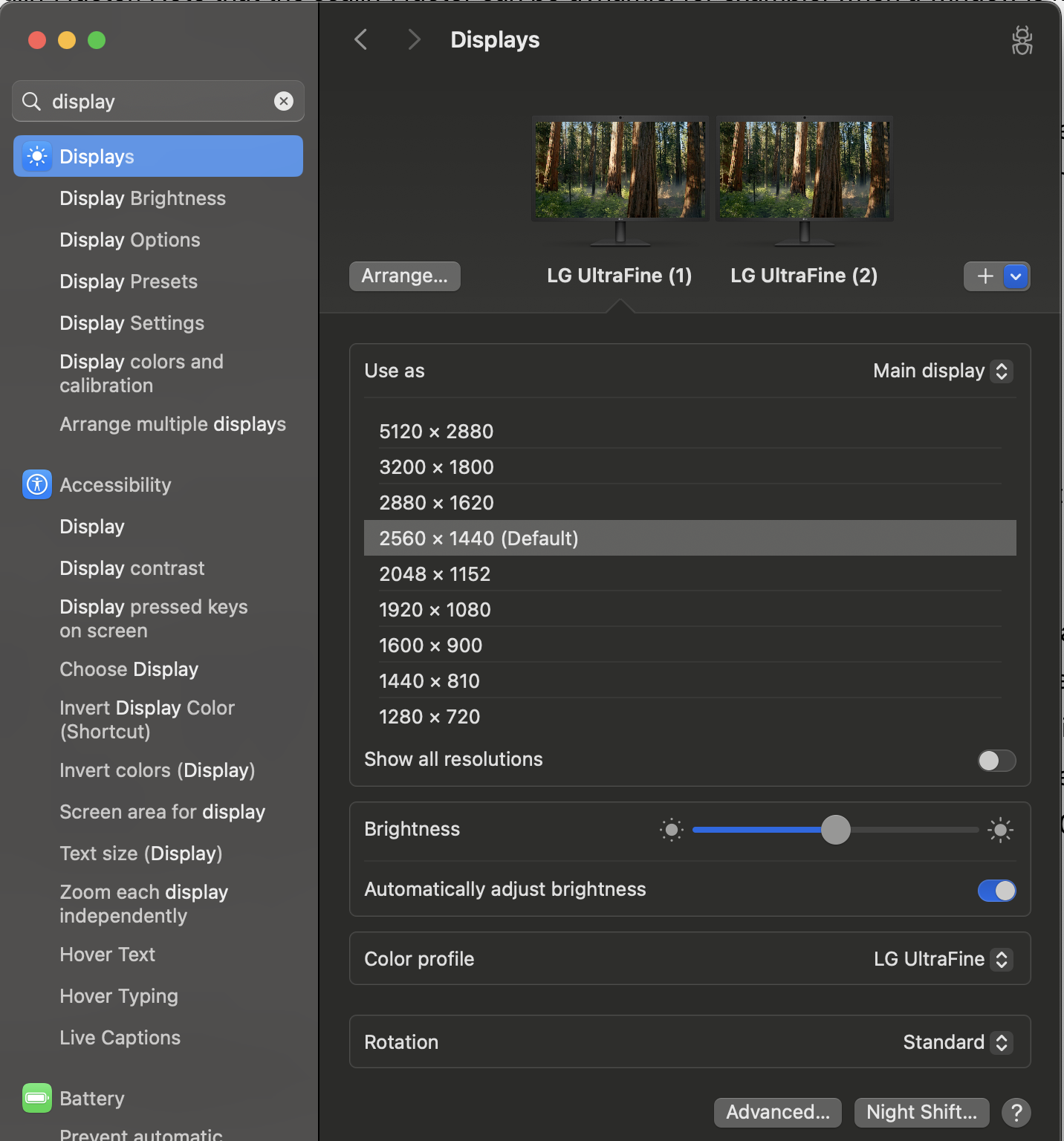
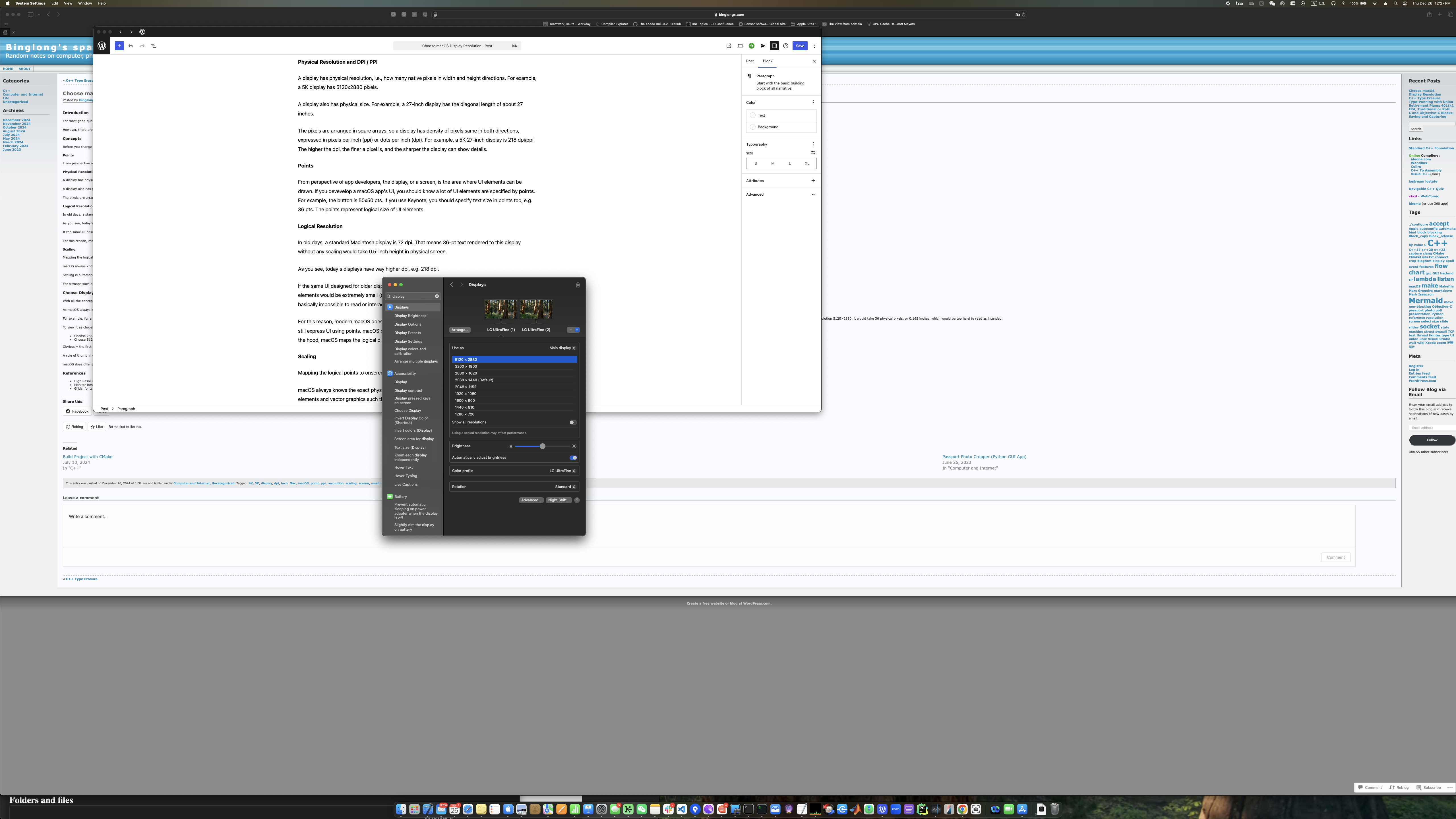
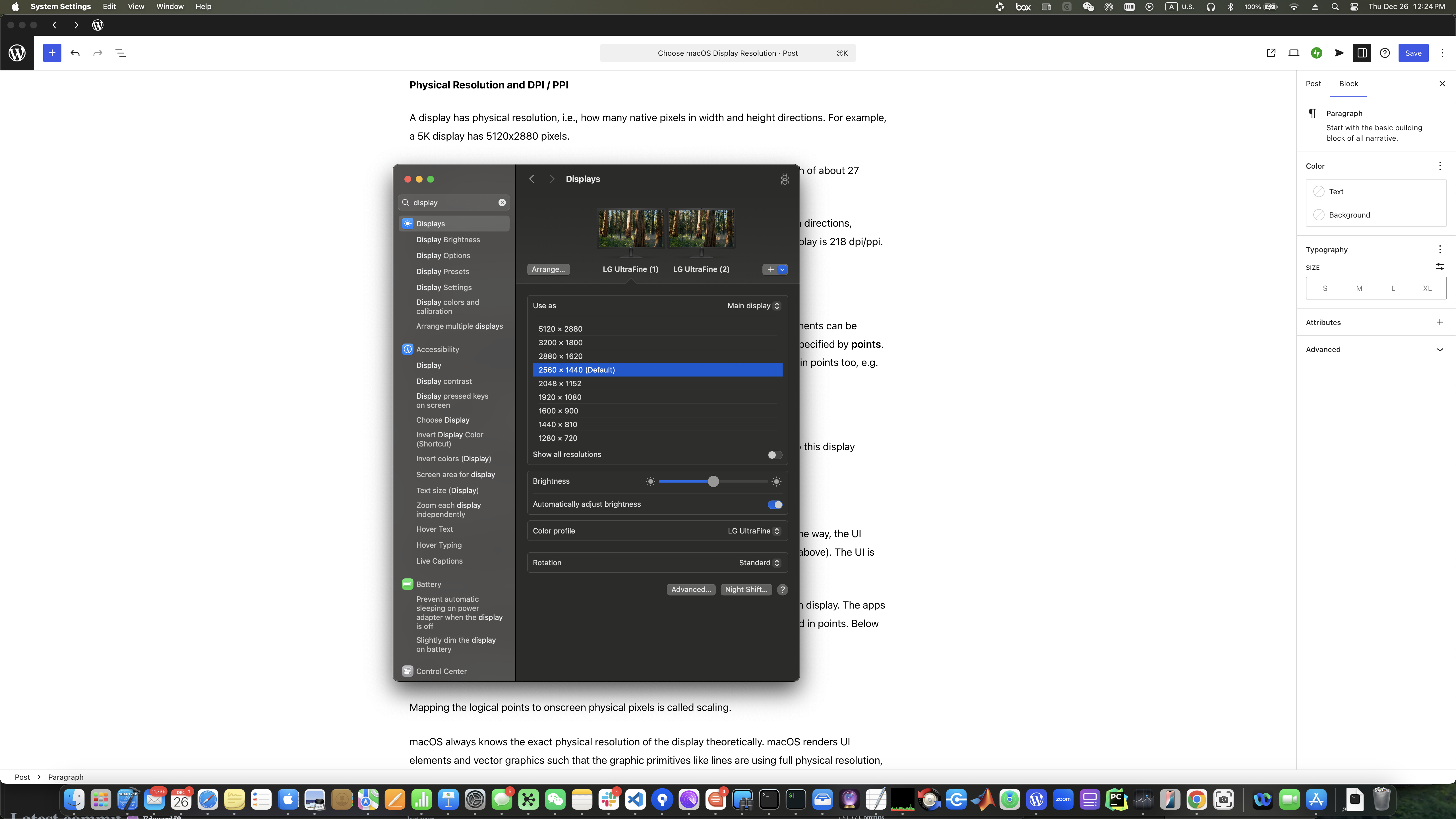
As macOS always knows the physical pixel resolution of display theoretically, in the System Setting app | Displays, you are really choosing logical resolution (in points), not physical resolution.
The goal is to balance several factors:
Logical size of real estate of the screen
Physical size of UI elements in screen
Sharpness of rendered details
At a given display and viewing distance, choosing a higher logical resolution means a larger logical screen. Therefore the same physical screen can house more UI elements and contents represented in logical points. This means you can have more windows or dialogs in the screen. But each UI element would appear physically smaller, may become harder to see or choose. You could potentially see sharper details of the rendering.
Conversely, if you use a low logical resolution, the logical screen is smaller. The screen then cannot show a lot of UI elements, and each UI element can appear bigger. This can make seeing or interacting with UI easier, but you may have to scroll more often to see other UI elements. If you use too low a logical resolution, you may see coarse details of the screen rendering.
For the 5K 27-inch display, this is the result of using 5120×2880 logical resolution (same as physical resolution):
And this is the result of using 2560×1440 logical resolution (half of physical resolution):
And this is using even lower 1280×720 logical resolution (1/4 of physical resolution):
For my viewing distance of about 75cm, 5120×2880 logical resolution results in too little text size that is hard to read, and 1280×720 logical resolution ends up with too little content showing up and wasting my screen estate. 2560×1440 logical resolution is a good balance, and the contents are also sharp.
A simple calculation for a 218 pppi 5120×2880 display:
A) 5120×2880 logical resolution: 218 lppi
B) 2560×1440 logical resolution: 109 lppi
C) 1280×720 logical resolution: 55 lppi
B)’s 109 lppi would be closer to standard 72 lppi (from old day UI design guideline) than A)’s 218 lpp. Most apps designed using points would render with reasonable size for UI elements. For example, 36-pt text would use 0.33 inches at 109 pt/inch. This is smaller than 0.5 inches when the app was designed for 72-dpi display. But if you use logical resolution as the same to physical resolution 5120×2880, it would take 0.165 inches, which would be too hard to read as intended.
Obviously, if the display’s physical size is larger, or if your viewing distance is different, you may need to use a different logical resolution even for the same 5K physical resolution.
Conclusion
It is not necessary to choose the logical resolution that matches the physical resolution to get sharp rendering.
A general rule of thumb is to pick among 1x, or half, or rarely 1/4 of physical resolution, which results in close to or slightly larger than 72 lppi for normal viewing. This is because macOS scaling works best for integral 2x or 4x ratios.
macOS also offers other scaling options (like 2880×1620 logical resolution for 5120×2880 display). They are not ideal scaling but still provide usable experience. Feel free to experiment and choose the one that looks and feels best to you.
In Socket API At A Glance, we discussed the socket APIs and their uses. Let’s check some details how a socket server could be written. The psuedo code below is assuming a TCP connection-oriented server, starting from a very simple version and evolves into more effient versions.
Single-Threaded Blocking IO Version
For a TCP socket server, a basic flow is like below:
fd = socket();
bind(fd, {ip, port});
listen(fd);
while( connected_fd = accept(fd) ) {
    // got the new incoming client client, handle it:
    read(connected_fd);
    // write(connected_fd);
    // ... interact with client whatever agreed way
    close(connected_fd); // done
}
close(fd); // this rarely needs to happen in tutorial 🙂
This basic single-threaded server works, but it has a huge drawback. The code in the while block that handles a new client connection depends on how responsive the clients is, and it’s preventing the server from quickly going back to accecpt() to handle other clients that may come. If the server is handling multiple clients, majority of the clients could feel the server is very slow.
Multi-Threaded Blocking IO Version
A simple improved version would move the new client handling code to a new thread, therefore the main thread can quickly go back to serve other incoming clients:
fd = socket();
bind(fd, {ip, port});
listen(fd);
while( connected_fd = accept(fd) ) {
    // got the new incoming client client, handle it in a new thread:
    thread([connected_fd](){
        read(connected_fd);
        // write(connected_fd);
        // ... interact with client whatever agreed way
        close(connected_fd); // done
    });
}
Now, the server is very responsive to many clients. Any of the already connected clients being less responsive is not slowing down handling of other connected clients or handling of new incoming clients.
However, there is hidden cost of thread. Thread is not free. Asking OS to create a thread takes time. A thread also takes memory like stack space. Once a thread is created, the OS scheduler has one more thread to worry and context switch as well. Adding a few more threads might have unnoticeable impact, but adding thousands of them could be huge performance hit when added up.
Non-Blocking I/O Version
Can we avoid creating a distinct thread for every new client? If we can avoid blocking on read() out of a client, we can promptly process next client, so we could use one thread to process other clients. The fcntl() call modifies the behaviors of the file descriptor, and one of them is to make the socket file descriptor non-blocking. If this is applied, read() would return immediately if the socket has no data arrived yet.
fd = socket();
bind(fd, {ip, port});
listen(fd);
while( connected_fd = accept(fd) ) {
    // got the new incoming client client
    fcntl(connected_fd, F_SETFL, O_NONBLOCK); // make non-block
    connected_fds.push_back(connected_fd);
}

// handle all connected clients here
clients_processing_thread(){
    for(conn_fd : connected_fds) {
        if( -1 == read(conn_fd) && (EAGAIN==errno || EWOULDBLOCK==errno)) {
            continue; // this client has no data arrived yet
        }
        // write(conn_fd);
        // ... interact with client whatever agreed way
    }
}
This looks great: after the main thread adds the incoming client to the file descriptor array, it immediately continues to handle other future incoming clients. All the clients are processed in a separate thread, where if any of them is not ready the thread just move to process next client.
There’s still some drawback. read() call is not free. Each read call involves a syscall that needs to transfer to kernel mode (and come back to user mode). This cost may look small, but if your array has thousands of socket fds, checking them one by one all the time can add up quickly. You can use an extreme analogy that a syscall is like an RPC (Remote Procedure Call), or http request/response if you don’t know RPC. Can we reduce the number of unnecessary system calls?
Also, notice that the for loop is a busy loop in clients processing thread even when there is no ready clients. This should be eliminated.
select() IO Multiplexing Version
Can we reduce the number of syscalls when handling a lot of socket fds, especially when they are not ready yet? We can use select().
select() allows us to give an array of fds, and ask the kernel in one shot how many of them are ready. So it’s one syscall vs. many syscalls.
In the clients processing code, we use select() instead:
fd = socket();
bind(fd, {ip, port});
listen(fd);
while( connected_fd = accept(fd) ) {
    // got the new incoming client client
    connected_fds.push_back(connected_fd);
}

// handle all connected clients here
clients_processing_thread(){
    fdset = build_fds(connected_fds); // set up fds
    n = select(fdset); // blocking, possible to set timeout
    for(int i = 0; i<n; ) {
        if( fdset[i] is ready ) {
            read(fdset[i]);
            // write(fdset[i]);
            // ... interact with client whatever agreed way
            ++i;
        }
    }
}
Cool, now we can use one select() call to learn how many sockets are ready, and handle them accordingly.
As tradition of this post, select() method must have sins. Indeed it has.
Cluncky API. What the pseudo code above does not show, is the details that select() works on the fdset. select() expects a bitmask for socket fd values. This means, if you have a few fds and the highest one would still have a low value, then the bitmask can be small. But if you have opened may fds, although you have closed majority of them, you likely have at least a fd with high value, then even you have none at low values, you still have to build a very long bitmask to represent that. You also have to re-build the bitmask before next select() call, because select() uses it as input and output so ruins it.
fd number limit. The bitmask length is capped at FD_SETSIZE, so is the maximal number of sockets it can check. This number is 1024 on most platforms. This is often too small for servers handling massive clients. This could be considered part of cluckly API too, but the number is so limiting so it worths call-out.
Efficiency. While select() uses one syscall to check the fds, internally still checks every open fd, even if the fd has no traffic. So for a set of fds where majority of them are not active, select() still wastes CPU cycles unnecessarily.
poll() IO Multiplexing Version
The poll() call allows you to set an array only for the fds you want to monitor, and it does not have size limit.
fd = socket();
bind(fd, {ip, port});
listen(fd);
while( connected_fd = accept(fd) ) {
    // got the new incoming client client
    connected_fds.push_back(connected_fd);
}

// handle all connected clients here
clients_processing_thread(){
    fdset = build_fds(connected_fds); // set up fds
    n = poll(fdset); // blocking, possible to set timeout
    for(int i = 0; i<n; ) {
        if( fdset[i] is ready ) {
            read(fdset[i]);
            // write(fdset[i]);
            // ... interact with client whatever agreed way
            ++i;
        }
    }
}
The way you build fds here is very different from that of select(). It’s not a bitmask, but a variable length array for only the fds you want to monitor. If you temporarily do not want to check a certain fd, you can negate it without rebuilding the array, and poll() will happily ignore it.
You also get to specify how long the fds array is, so there’s essentially no limit by this API on how many sockets you want to check (of course there’s practical limit due to other reasons).
However, poll() only solves the cluncky API and number limit problems, it still has efficiency issues.
poll() still needs you to pass a huge array from user mode to kernel mode when there are many fds to monitor. This copying is needed from user mode to kernel mode, mostly for security and robustness of the OS, see Linux Virtual Memory Code Practice (2). Because struct pollfd, the element type of the fds array, needs extra bytes in addition to fd itself, monitoring many sockets each poll() call has to copy for example mega bytes of memory to kernel.
Also poll() internally still needs to check every fd upon the call, with O(n) performance similar to select().
epoll IO Multiplexing Version
epoll is an enhancement of poll(), and it’s event based. (In macOS, kqueue/kevent is the closest match to epoll in Linux.)
To use epoll:
Call epoll_create() to create an fd for an epoll instance. This represents a kernel object you need to use for any other epoll functions.
Call epoll_ctl() to add, modify or remove a fd that you want epoll to monitor.
Call epoll_wait() to wait for any of the fds in epoll instance to become ready or have interesting events.
Call close() on the epoll instance if you don’t need to use it any longer.
Obviously epoll API is more complex than poll(), but it overcomes the two performance issues in poll():
We can now incrementally modify the fd array you want to monitor with epoll_ctl().
epoll internally is event driven, not O(n) query. If there’s no readiness change, epoll_wait() basically has no cost.
This is sample pseudo code:
epollfd = epoll_create1(0); // = epoll_create(1);
fd = socket();
bind(fd, {ip, port});
listen(fd);
while( connected_fd = accept(fd) ) {
    // got the new incoming client client, add to epoll instance
    ev.events = EPOLLIN;
    ev.data.fd = connected_fd;
    epoll_ctl(epollfd, EPOLL_CTL_ADD, conn_sock, &ev);
}

// handle all connected clients here
clients_processing_thread(){
    struct epoll_event events[MAX_EVENTS];
    nfds = epoll_wait(epollfd, events, MAX_EVENTS, -1); // block until some fd ready
    for(int i = 0; i<nfds; ++i) {
        conn_fd = events[i].data.fd;
        read(conn_fd);
        // write(conn_fd);
        // ... interact with client whatever agreed way
    }
}
The code above still uses the main thread exclusively just for accepting new connections (as examples above), but it’s totally possible to put it under monitoring of epoll as well.
In reality using one thread to handle all the massive clients is not practical, as your server may have many CPU cores sitting idle if you do so. So likely you would use a thread pool instead to concurrently handle those clients. That’s beyond this post.
socket address: For TCP/IP, the socket address is IP address and port number.
a socket is the file descriptor;
local_addr is the socket address on local computer.
remote_addr is the socket address on remote computer.
Socket States
In this diagram there are a few different states a socket can be in. Socket conceptually contains different information and allows different oprations in each state.
detached: a socket file discriptor is created through socket(), but there is no socket address associated. This socket conceptually cannot do anything.
If you call sendto(remote_addr), socket implementation automatically binds it to a good local socket address (IP and a random port), and moves to bound state, before sending data.
connect(remote_addr) moves directly to connected state.
bound: the socket is associated with a local socket address (e.g. IP and port). For connection-less socket, you can now receive data from remote party because they can address to you. You can send data as long as you know the remote party’s socket address from a bound socket. Note that when bind() a socket, you can specify “any” IP (INADDR_ANY for IPv4, and in6addr_any for IPv6); when a message from client arrives, it can come though any network interface if your host has multiple interfaces (with different IPs). In bound state, you can choose to bind to a port together with a specific IP, or a floating “any” IP.
listening: This is like a special bound state for a connection-oriented socket on server.
connected: A connected socket has the full information about both local and remote addresses.
Connection-less Socket (like UDP)
The server uses socket() -> bind() , then it can call recvfrom() to get (potentially blocking) for incoming messages;
The client uses socket() then it can use sendto(remote_addr) / sendmsg(remote_addr) to send a message to remote server. The socket implementation automatically binds the socket to a local socket address. You can also manually bind() it before using sendto(remote_addr) / sendmsg(remote_addr), but you have to choose IP / port carefully yourself.
The receiver end can choose to obtain sender’s socket address when recvfrom() / recvmsg() is called. This address can be used to reply the message, if reply is needed.
A connection-less socket can stay in bound state for ever, and it can be used to talk with different remote parties.
It is however possible to move the connection-less socket to connected state, by calling connect(remote_addr). After that, you can send message with write()/send() without specifying remote_addr explicitly. You can call connect() again to let the socket point to a different remote socket address, or connect(null) to clear that association to return to bound state.
Keep in mind, UDP does not guarantee reliable transfer, therefore a receiver may not receive all the datagrams the sender sent.
Connection-Oriented Socket (like TCP)
The server uses socket() -> bind() -> listen() -> accept() sequence.
The client uses socket() -> connect(remote_addr).
The client may use socket() -> bind(local_addr) -> connect(remote_addr), but binding is automatically done if it uses socket() -> connect(remote_addr).
The server’s listening socket is not for data communication. It serves as a mother socket, and the only purpose is to take in a new incoming connection from client. If that incoming connection request is accepted, a new server side socket is spawned in connected state for data communication. The listening server socket never moves into connected state.
The new server socket uses the same port number as the listening socket, but since this is a connected socket, it has both local/server IP+port and client IP+port, so incoming data to the port from different clients can be properly distributed to their corresponding server sockets.
The client side socket is also moved into connected state, associated with the socket address of the server side, appearing like to the same one it tries to connect() to, althoug on server side it’s served by a different socket.
Once the connection is established, both client and server now have a socket in connected state, and they can use read()/write()/send()/recv() to exchange data.
%% Mermaid diagram https://mermaid.js.org/syntax/stateDiagram.html
stateDiagram-v2
    detached: detached\n-----------\n(socket)
    bound: bound\n--------------\n(socket)\n(local_addr)
    listening: listening\n--------------\n(socket)\n(local_addr)
    connected: connected\n-----------------\n(socket)\n(local_addr)\n(remote_addr)
    all: all states

    classDef VirtualState font-style:italic;

    [*] -->  detached : socket()
    detached --> bound : bind(local_addr)
    detached --> bound : sendto(remote_addr)
    bound --> bound : sendto()/recvfrom()/sendmsg()/recvmsg()
    detached --> connected : connect(remote_addr)
    bound --> listening: listen()
    listening --> connected: accept() spawns new
    bound --> connected : connect(remote_addr)
    connected --> connected: read()/write()/readv()/writev()/send()/recv()/\nsendto()/recvfrom()/sendmsg()/recvmsg()/\nconnect()
    connected --> bound: connect(null)
    all:::VirtualState --> [*] : close()

    note left of [*]
        Socket API At A Glance,
        Connection-oriented: SOCK_STREAM (TCP) etc.
        Connection-less: SOCK_DGRAM (UDP) etc.

        https://en.wikipedia.org/wiki/Berkeley_sockets
    end note

    note left of bound
        Connection-less sockets often stay here,
        using sendto()/recvfrom()/sendmsg()/recvmsg()
        getsockname() returns local socket address.
    end note

    note right of listening
        Connection-oriented socket as "mother socket" at server.
        client connecting to it results in a different connected socket.
    end note

    note right of connected
        Most Connection-oriented sockets stay here, using read()/write()/readv()/writev()/send()/recv().

        Connection-less sockets rarely here. If they are, they
        - can still use sendto()/recvfrom()/sendmsg()/recvmsg();
        - allows connect() to change remote_addr, or connect(null) to go to bound state.

        getpeername() returns remote socket address.
    end note


 Binglong's space